Solutions
Museum guide tool that brings every detail into focus
Museums are full of objects visitors should see up close — but they can't. Glass cases, velvet ropes, and group size keep people at a distance. Immersia puts the close-up view on every visitor's own phone, synced in real time as the docent moves through the collection.
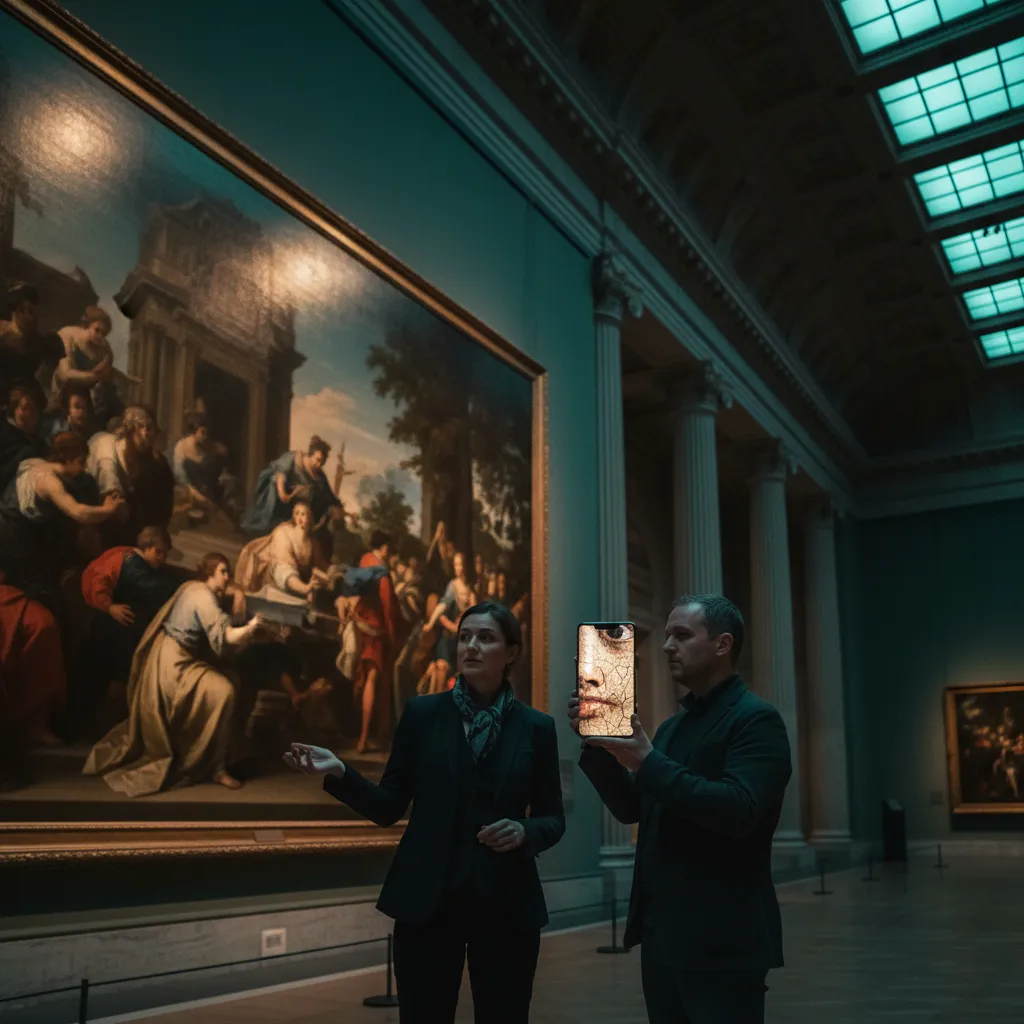
How museums use Immersia
Docents control the narrative from a tablet
As the group moves from room to room, the guide pushes images, detail shots, and contextual video to every visitor's device in sync.
Visitors join by scanning a QR code
No museum-provided device to manage. No app to download. No Bluetooth pairing. One QR code at the tour start.
Show what the naked eye can't see
Zoom into brushstrokes, share X-ray or infrared images, display archival photos of the gallery from 100 years ago, show the object in its original context.
Why docents and museum educators choose Immersia
Exhibition types that thrive with Immersia
Fine art galleries
Zoom into technique, compare with studies and sketches.
History museums
Overlay archival photographs onto the present-day gallery.
Science and natural history
Show microscopic views, diagrams, and animations.
Special exhibitions
Create a temporary digital layer without permanent installation.
House museums and historic sites
Reveal rooms as they once looked.
Sculpture gardens
Show the artist's process, alternate angles, and related works.
Getting started
Sign up for free. Upload your first tour's images. Next time you lead a gallery walk, put the QR code at the meeting point — your visitors join in seconds. The free plan covers 1 tour with 50 images and 1 GB of media.
Check your inbox
Thank you! Check your inbox for the guide.
Something went wrong. Please try again or email us at contact@getimmersia.com.
Explore related
Learn about custom museum technology support and complementary features.
Free to try · 1 tour, 50 photos, 1 GB · No card required